
Welding aluminum can feel challenging, especially for those who want clean, strong results with TIG (Tungsten Inert Gas) welding. One feature that makes TIG welding more effective on aluminum is the pulse setting.
This advanced setting can help control heat, improve weld appearance, and reduce common defects. Whether you’re new to TIG or trying to master aluminum welding, understanding pulse settings will make a big difference.
Aluminum is used everywhere—from car parts to kitchenware—because it’s lightweight and resists rust. But its high heat conductivity and low melting point mean it’s easy to burn through if you’re not careful. Using TIG pulse settings gives you more control, allowing you to weld thinner materials and handle tricky joints.
In this article, you’ll learn what TIG pulse is, how it works for aluminum, and how to set up your machine for best results. By the end, you’ll know how to use pulse settings for safer, cleaner, and more consistent aluminum welds.
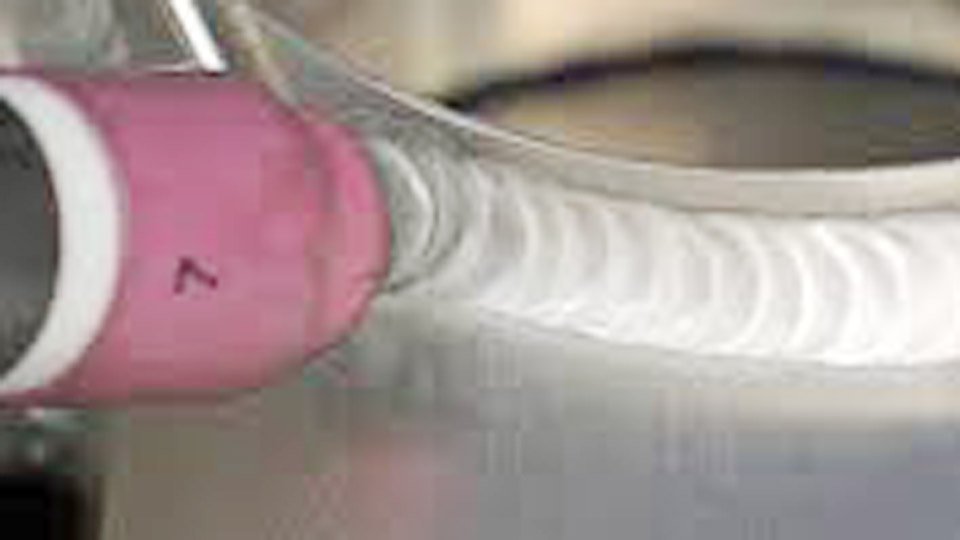
Image millerwelds
Understanding TIG Pulse Settings
TIG pulse refers to the way your welding machine controls the current. Instead of a steady flow, pulse switches the current between high (peak) and low (background) values many times per second. This helps manage heat, prevent overheating, and improve weld quality—especially important with aluminum.
The three main pulse settings are:
- Pulse frequency: How many times per second the current cycles between high and low (measured in Hertz, Hz).
- Peak current: The higher current during each pulse cycle.
- Background current: The lower current during each cycle.
These settings work together to shape the weld bead, control the heat input, and reduce distortion. For aluminum, pulse is often used to weld thin sheets and to avoid burn-through.
Why Aluminum Needs Pulse
Aluminum conducts heat quickly and melts at a lower temperature than steel. When you weld aluminum, the heat spreads fast, making it easy to accidentally melt the edges or create ugly welds. Using TIG pulse settings:
- Reduces heat in the weld zone
- Gives better control over the pool
- Allows for cleaner starts and stops
- Helps avoid porosity (tiny holes from trapped gas)
- Makes it easier to weld thin aluminum without warping
Key TIG Pulse Settings For Aluminum
Let’s look deeper into each pulse setting and how it affects aluminum welding. Getting these right is the first step to high-quality welds.
Pulse Frequency
Pulse frequency is measured in Hertz (Hz) and controls how fast the current switches between peak and background. For aluminum, typical frequencies range from 0.5 Hz to 200 Hz.
- Low frequency (0.5–2 Hz): You see each pulse as a separate bead. This is good for manual control, especially on thin materials.
- Medium frequency (5–20 Hz): Creates a smoother weld bead. Useful for general aluminum welding.
- High frequency (50–200 Hz): Makes the arc more focused and stable. Used for precise, clean welds.
For beginners, start around 1 Hz for thin aluminum. As you gain experience or weld thicker pieces, try higher frequencies.
Peak Current
Peak current is the highest amperage during each pulse. It melts the base metal, forming the weld pool.
- For aluminum, set the peak current based on material thickness. Thin sheets (1–2 mm) may need only 40–60 amps. Thicker pieces require more.
- The peak current should be high enough to melt aluminum quickly without overheating.
Tip: Always test on scrap material first to see if the peak current gives a good weld pool without burning the edges.
Background Current
Background current is the lower amperage between pulses. It helps keep the weld pool warm, but not too hot.
- For aluminum, the background current is often set at 20–50% of the peak current.
- Example: If your peak is 60 amps, try a background of 20–30 amps.
Too low, and the weld cools too much; too high, and you risk overheating.
Duty Cycle (pulse Width)
Duty cycle is how long the pulse stays at peak current during each cycle. It’s shown as a percentage.
- Short duty cycle (20–40%): Less heat, smaller weld pool. Good for thin aluminum.
- Long duty cycle (60–80%): More heat, bigger pool. Useful for thicker materials.
For aluminum, start with a duty cycle of 30–40% and adjust as needed.
Setting Up Your Tig Machine For Aluminum Pulse Welding
Proper setup is key for successful aluminum welding. Here’s a step-by-step guide to getting your TIG machine ready:
1. Select Ac Mode
Aluminum needs alternating current (AC), not DC. AC helps clean the oxide layer on aluminum.
2. Choose The Right Electrode
Use a tungsten electrode suited for AC. The most common are 2% ceriated (gray) or pure tungsten (green). Size depends on amperage.
3. Set Gas Flow
Use argon as shielding gas. For aluminum, set flow at 15–20 cubic feet per hour (CFH).
4. Adjust Balance Control
AC balance cleans the surface. For most aluminum, start at 60–70% electrode negative.
- Set Pulse Parameters
- Frequency: Start at 1–2 Hz for thin, 5–20 Hz for thicker.
- Peak current: Match to material thickness.
- Background current: 20–50% of peak.
- Duty cycle: 30–40%.
- Fine-tune on Scrap
Always test settings before welding your actual piece.
Typical Aluminum Tig Pulse Settings Table
Here’s a simple table to help you choose settings based on material thickness:
| Aluminum Thickness (mm) | Pulse Frequency (Hz) | Peak Current (Amps) | Background Current (Amps) | Duty Cycle (%) |
|---|---|---|---|---|
| 1–2 | 1–2 | 40–60 | 20–30 | 30–40 |
| 3–5 | 5–10 | 80–120 | 40–60 | 40–50 |
| 6–10 | 10–20 | 120–180 | 60–90 | 50–60 |
How Pulse Improves Aluminum Weld Quality
Using pulse settings offers several benefits for aluminum welding:
- Heat Control: Pulse prevents overheating, which is critical for thin materials.
- Cleaner Beads: Pulsing makes welds look smoother with fewer defects.
- Less Distortion: Lower heat input means less warping.
- Better Penetration: High peak current lets you penetrate, while background current keeps things steady.
- Less Porosity: Pulse helps gas escape, reducing tiny holes.
These advantages are especially important in industries where appearance and strength matter, like aerospace and automotive.
Real-world Example
A welder working on 2 mm aluminum car panels used a pulse frequency of 2 Hz, peak current of 50 amps, background current of 25 amps, and duty cycle of 35%. This setup produced clean, even welds without burning through or warping the panels.
Common Mistakes With Aluminum Tig Pulse
Even experienced welders can make mistakes. Here are some common issues and how to avoid them:
Incorrect Pulse Frequency
Too high or too low makes the weld unstable. Test different settings.
Overheating The Material
High peak current or duty cycle can melt edges. Start low and increase slowly.
Wrong Electrode Size
Too small or too large can cause poor arc stability. Match electrode to amperage.
Insufficient Gas Coverage
Low argon flow causes contamination. Keep flow steady at 15–20 CFH.
Ignoring Ac Balance
Wrong balance leads to dirty welds. Adjust for proper cleaning.
Skipping Practice
Aluminum reacts differently than steel. Always test on scrap first.
Data Table: Mistakes Vs. Solutions
| Mistake | Result | Solution |
|---|---|---|
| High peak current | Burn-through | Lower current, use pulse |
| Low gas flow | Porosity | Increase argon flow |
| Wrong electrode | Unstable arc | Use correct tungsten |
| No pulse | Excess heat | Enable pulse mode |
Advanced Tig Pulse Techniques For Aluminum
Once you’re comfortable with basic pulse settings, you can try advanced techniques for even better results.
High-frequency Pulse
Using frequencies above 50 Hz creates a tight, focused arc. This helps weld corners, fillets, and very thin aluminum. It also gives a smoother finish.
Variable Pulse
Some modern machines let you change pulse settings during welding. For example, start with low frequency, then switch to high for finishing. This adapts to changing weld conditions.
Micro-pulse
Very short pulses (up to 200 Hz) are used in robotic welding or for ultra-thin sheets. Micro-pulse can produce almost invisible welds.
Using Pulsed Ac
Advanced TIG machines offer pulsed AC, which combines AC cleaning action with pulse control. This is ideal for aluminum, giving even more cleaning and penetration.
Choosing The Right Pulse Settings For Your Aluminum Project
Different projects need different settings. Here’s how to choose the best pulse setup:
Thickness
Thinner materials need lower currents, lower frequency, and shorter duty cycles.
Joint Type
Lap joints need more heat. Butt joints are easier to control with pulse.
Weld Position
Overhead or vertical welds need more focus, so use higher frequency.
Appearance
If welds must look perfect, use higher frequency and fine-tune duty cycle.
Strength
Critical joints need good penetration. Adjust peak current for stronger welds.
Weld Types Vs. Pulse Settings
| Weld Type | Best Pulse Frequency (Hz) | Duty Cycle (%) | Notes |
|---|---|---|---|
| Butt Joint | 2–10 | 35–45 | Easy control, less heat |
| Lap Joint | 10–20 | 50–60 | Needs more penetration |
| Fillet | 20–50 | 40–50 | Smooth finish, focus arc |
| Corner | 50–200 | 30–50 | High frequency for tight beads |
Tips For Better Aluminum Tig Pulse Welding
Welding aluminum with pulse can be tricky, but these tips help you avoid problems and get better results:
- Clean the Metal: Use a stainless wire brush to remove oxide before welding.
- Preheat Thick Pieces: For materials above 5 mm, preheat with a torch to 100–150°C.
- Keep a Short Arc: Hold the tungsten close for more control.
- Steady Hand Movement: Move smoothly to avoid uneven welds.
- Watch the Weld Pool: Don’t focus only on the arc; watch how the metal melts.
- Use Proper Filler Rod: For aluminum, use 4043 or 5356 filler, matched to your base metal.
Non-obvious Insights
Pulse Can Reduce Cleaning Time
Because pulse helps control heat and prevents contamination, you spend less time cleaning welds after finishing.
Pulse Allows For Faster Welding
Pulse settings let you move faster without sacrificing quality. This is useful for production environments.
When To Avoid Tig Pulse On Aluminum
Pulse isn’t always necessary. Here are times to skip it:
- Very thick aluminum (>10 mm): Standard TIG may be better.
- Simple, non-critical joints: If appearance doesn’t matter, pulse can slow you down.
- Old machines: If your TIG machine doesn’t support pulse, stick to basic AC settings.
Safety Considerations
Pulse welding generates less heat overall, but always wear proper PPE (Personal Protective Equipment):
- Use a high-quality welding helmet with the right shade.
- Wear gloves and flame-resistant clothing.
- Ventilate your workspace; aluminum welding produces fumes.
Troubleshooting Common Aluminum Pulse Problems
If your welds aren’t coming out right, check these issues:
- Weld bead too tall: Lower duty cycle or frequency.
- Porosity: Increase argon flow, check for leaks.
- Burn-through: Reduce peak current, increase background current.
- Dirty welds: Adjust AC balance for more cleaning.
FAQs
Aluminum TIG pulse settings are a powerful tool for anyone who wants better welds. With the right setup, you can tackle thin materials, complex joints, and demanding projects. If you want to dive deeper into welding techniques, visit Wikipedia for more technical details.
Remember, practice and patience are key. Try different settings, pay attention to your results, and soon you’ll produce aluminum welds that are strong, clean, and professional.
Frequently Asked Questions
What Is The Best Pulse Frequency For Welding Thin Aluminum?
For thin aluminum (1–2 mm), a pulse frequency of 1–2 Hz works well. This gives you control and helps prevent burning through the material.
Should I Use Pure Tungsten Or Ceriated For Aluminum Tig Pulse?
Both pure tungsten (green) and ceriated tungsten (gray) work for AC aluminum. Ceriated is popular because it holds its shape better at higher currents.
Can Tig Pulse Welding Fix Porosity In Aluminum Welds?
Pulse can help reduce porosity by giving trapped gas more time to escape between pulses. But you must also clean the metal and use the right gas flow.
Do I Need To Adjust Ac Balance When Using Pulse?
Yes, you should still adjust AC balance for proper cleaning. Pulse doesn’t replace AC cleaning—it works together with it.
Is Tig Pulse Only For Professional Welders?
No, many modern TIG machines have easy-to-use pulse settings. Beginners can learn pulse for aluminum by practicing on scrap and gradually adjusting settings.

Hi, I’m Zachary Ford. I’m passionate about welding and dedicated to helping both beginners and experienced welders make informed decisions. I research, test, and write about welding helmets, welding machines, safety equipment, and essential workshop tools. My goal is to provide honest reviews, practical buying guides, and easy-to-follow tutorials that help you weld more safely, work more efficiently, and choose the right gear with confidence.